Zendesk Reviews: Zendesk Sell is the sales-focused version of the company’s popular service and ticketing platform. This customer relationship management (CRM) system is designed to help teams streamline the sales process through visibility into the order backlog and provides the tools salespeople need to increase revenue.
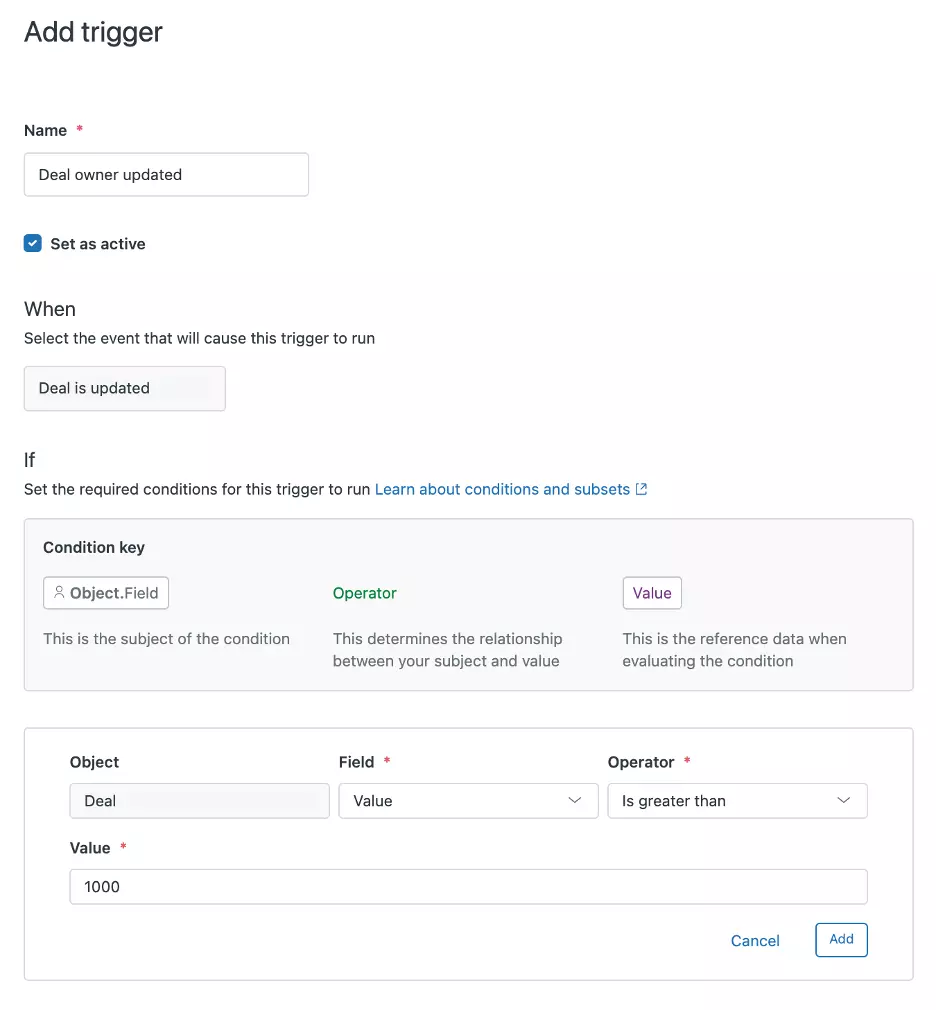
The platform is built for productivity: It includes sales sequences that can automatically capture leads and extend your reach, as well as sales triggers that can automate your workflow and ensure customers get the attention they need. When combined with Suite, the company’s ticketing and service platform, Zendesk becomes an effective tool for managing every stage of the customer lifecycle.
Table of Contents
Why We Chose Zendesk as the Best CRM for Complete Customer Life Cycle
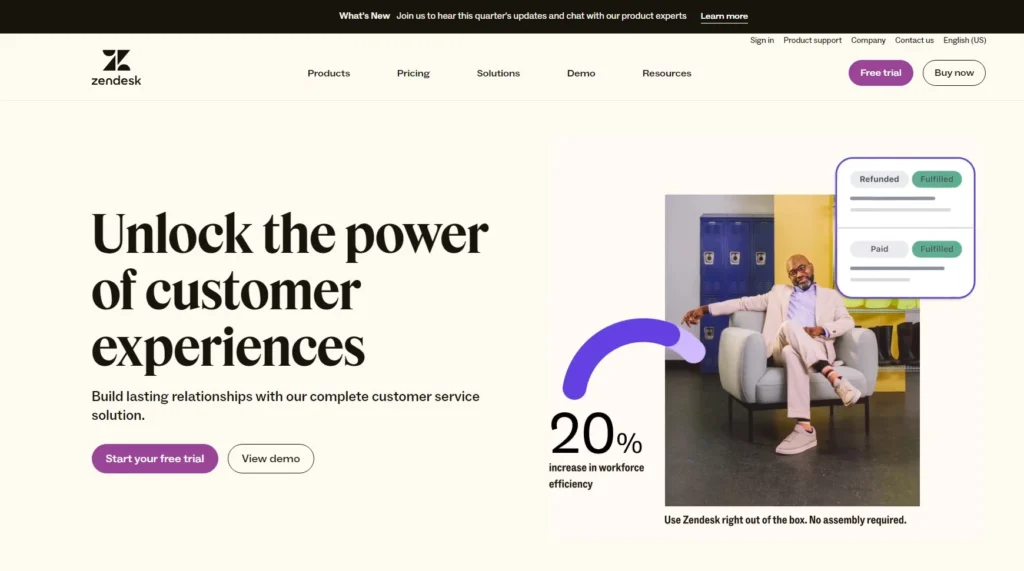
Zendesk started and grew as a complete service solution and ticketing platform. The company’s newest sales-focused CRM is built on the same philosophy of delivering efficient, personalized customer experiences to increase revenue. Features such as sales forecasting provide a clear picture of the expected revenue or lifetime value of a new customer to help you determine which opportunities to prioritize.
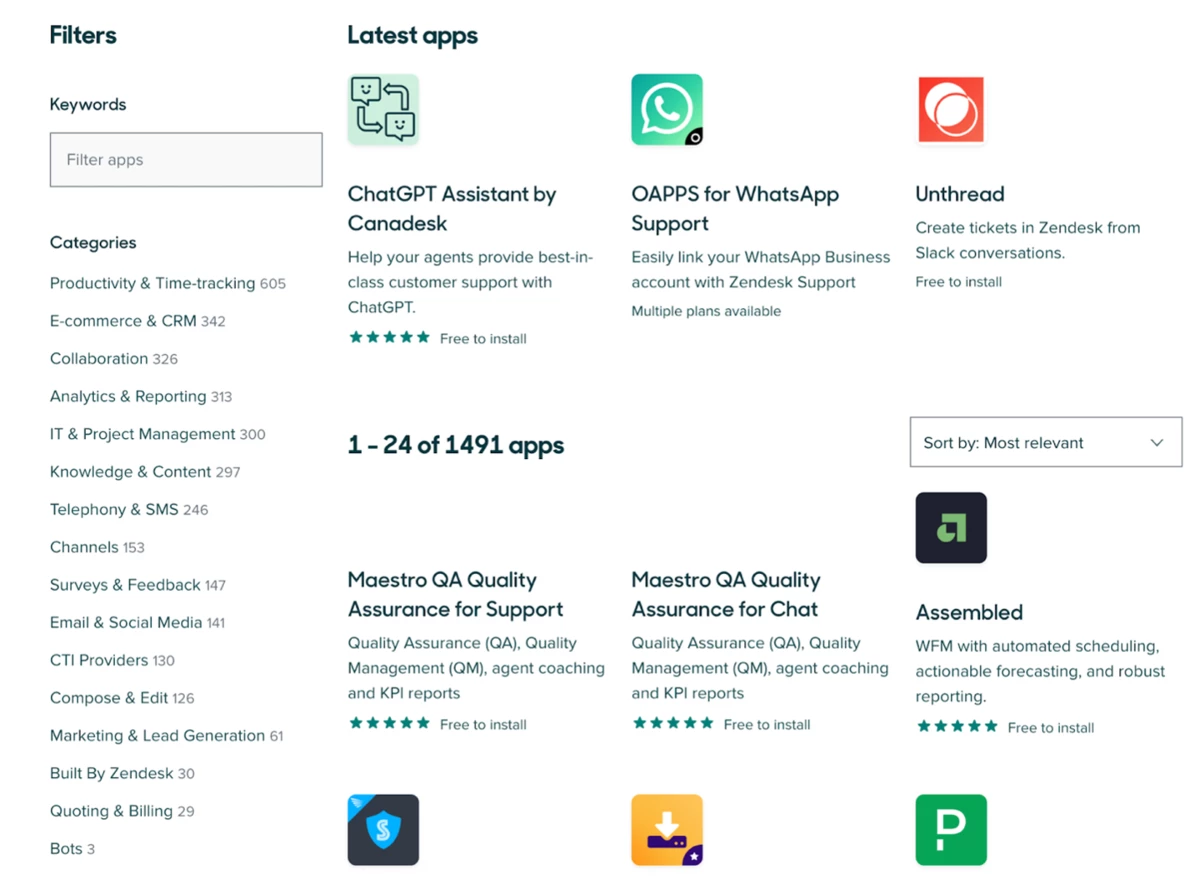
With a growing list of nearly 1,500 integrations available through the application marketplace, you can streamline your sales process with the business software you already use every day for marketing automation, billing, and internal communications.
Additional features, such as sales triggers and sequences, can help you automate administrative work, freeing you up to devote your full attention to your customers. We especially liked how Zendesk Suite and Sell worked together to support lead generation, dead lead reactivation, and lead qualification. By bringing together customer service and CRM platforms, Zendesk enables your team to deliver a personalized sales experience and turn your leads into loyal customers with an exceptional post-sales support experience.
Usability
The drag-and-drop widgets in the home dashboard make Zendesk easy to customize for anyone experienced in using a CRM for sales. If you are new to this type of platform, you can use the numerous “Learn More” buttons in the widget selector to see more information about each option and create the best dashboard for your needs.
In addition to selecting widgets for your dashboard, you can resize and add filters for a truly customized view. Your daily sales workflow is built around assigned tasks, which may include cold calling, follow-up emails, or creating new deals. Instead of treating your tasks as a static to-do list, you will “replay” them through the Task Player. This focused way of working provides you with all the context you’ll need for your task groups, such as your prospect’s active notes, experience with your product, and past conversation history.
Key Takeaway:
Zendesk offers one of the most customizable dashboards we have seen in a CRM platform.
Zendesk Features
| Prospecting and enrichment | Strengthen your leads and contacts by adding full profiles and replacing out-of-date information. |
| Integrations | Access more than 1,000 free software integrations. |
| Smart lists & templates | Build customized lists to identify your most valuable leads. |
| Power dialer | Create an automatically dialed call list in your Sell account. |
| Zendesk Suite Integration | Zendesk Sell seamlessly integrates with Zendesk Suite, the platform’s customer service and help desk solution. |
Prospecting & Enrichment
Most Zendesk plans include a limited number of monthly prospecting and enrichment credits. These credits can be used to generate valuable data about an existing lead, such as company size, phone number, and market capitalization, to help create a complete profile. If you don’t have any information about a lead or contact, you can use a prospecting credit to identify a point of contact for your initial contact.
You can also enrich your leads one at a time or in bulk with up to 1,000 people or companies at a time. This feature is based on Clearbit, a data engine for customer interactions that draws from more than 44 million companies and 50 million lead records.
FYI:
The Sell Enterprise plan includes 10,000 enrichment credits and 300 prospecting credits per month.
Integrations
Zendesk has one of the largest app marketplaces, with nearly 1,500 software integrations available, and most are free to install and use. While most integrations were introduced to strengthen Zendesk’s service product, you’ll find more than 100 sales-specific apps to enhance your platform’s functionality in categories such as lead generation, quoting, invoicing, social media, and productivity. Most Zendesk plans include premium API access for syncing and the ability to add private custom apps that you can develop for the Zendesk Apps framework.
Smart Lists
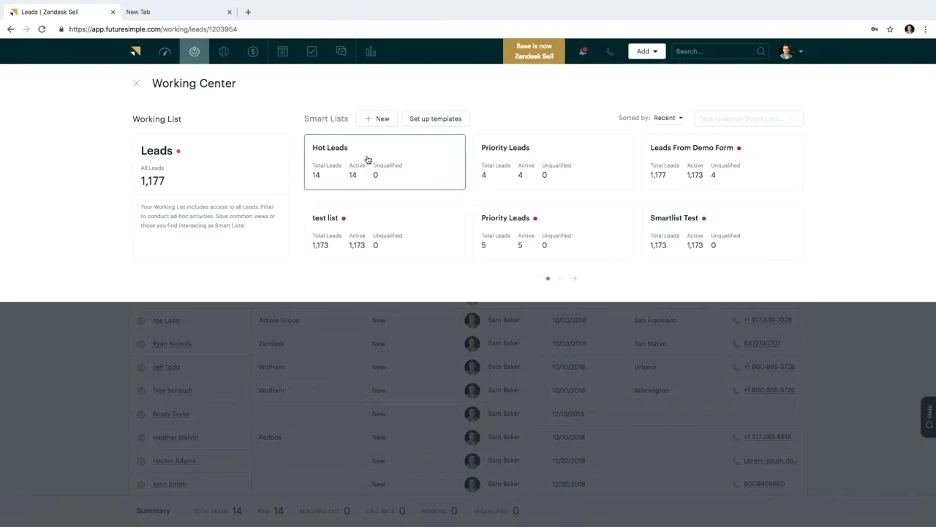
This feature allows you to filter your leads by a wide variety of criteria, such as the date they were added to the system, their place in your sales process, or their potential value as a customer. As you generate new leads, your smart lists will automatically add the appropriate contacts based on the criteria you have selected.
You can also create a smart list template to share with others in your organization. With an active lead generation strategy, you can easily filter new leads and identify the most interesting ones that deserve your immediate attention. This useful productivity feature is available with all Zendesk plans.
Power Dialer
According to Zendesk, 48% of salespeople never attempt follow-up calls, which is a missed opportunity, given that 80% of sales require five follow-up calls to be successful.
Speed also plays a role: Salespeople who contact leads less than an hour after receiving an inquiry are 60 times more likely to qualify a lead than those who wait 24 hours or more to contact the lead. When an agent becomes available, the autodialer will immediately dial the next number in an assigned contact list and provide agents with relevant context from the call recipient’s contact card.
You can customize the autodialer with countdown timers and notepad icons to ensure you have time to review your scripts before the call begins. This feature comes standard with the Sell Professional and Sell Enterprise plans.
Did You Know?:
Zendesk users are responsible for using voice and text features in accordance with all applicable laws.
Zendesk Suite integration
Zendesk Suite is a standalone solution with an additional subscription cost, but in our opinion, it is well worth the additional expense. Sell and Suite integrates seamlessly to create a tight connection between customer service and sales.
By connecting data from all customer service interactions directly to CRM software, Zendesk allows your team to know the entire customer journey. By understanding customer pain points and analyzing feedback in this way and storing it in the CRM in this way, your agents can increase customer satisfaction. With a clearer connection to your existing customers, your marketing and sales teams can also present your products and services more effectively to the right target audience.
We have found this combination to be helpful in building customer loyalty while generating and nurturing leads to grow your business.
Zendesk Cost
Zendesk offers monthly and annual payment options for each of its four sales-focused CRM products, with discounts of about 30% for annual subscribers, depending on the plan you choose. In addition to Zendesk Sell, the company offers a basic service-centric platform starting at $55 per agent per month and a suite of services starting at $89 per user per month. While you can’t combine plans within the company, you can switch plans at any time. None of the Zendesk Sell plans come with a minimum or maximum number of seats.
| Plan | Starting price (per user per month) | Features |
|---|---|---|
| Team | $55 | Two sales channels, customized agreements, single sign-on, sales triggers, tasks, calendar integration, email tracking, text messaging, 50 minutes of talk time, call recording, offline mobile access, public applications, and integrations, predefined reporting dashboards, 2 GB of document storage, duplicate detection, required fields, smart lists, and online support. |
| Growth | $89 | All in Sell Team, plus 10 sales channels, product and price book, shift distribution, 50 sales sequences, 1,000 enrichment credits, 25 prospecting credits, company phone number, mass emailing, unlimited email templates, premium API access, custom applications, advanced reporting, sales forecasting, scheduled reports and 5 GB of document storage. |
| Professional (most popular) | $115 | All in Sell Growth, plus 20 sales pipelines, lead and deal scoring, 300 sales sequences, task automation, custom notifications, 3,500 enrichment credits, 150 prospecting credits, auto dialer, call scripts and 10 GB of document storage. |
| Enterprise | Contact | All in Sell Growth, plus 20 sales pipelines, lead and deal scoring, 300 sales sequences, task automation, custom notifications, 3,500 enrichment credits, 150 prospecting credits, auto dialer, call scripts, and 10 GB of document storage. |
Zendesk Setup
The average CRM onboarding and implementation process can take anywhere from a few days for a new company to over a month for a large company that is migrating a lot of customer and sales flow data.
Small companies will start the setup from an administrator account and can expect the process to take about two weeks to complete and another couple of weeks to learn how to navigate effectively.
Larger companies can speed up the process with the Professional Services add-on, which includes data migration and setup, on a custom quote.
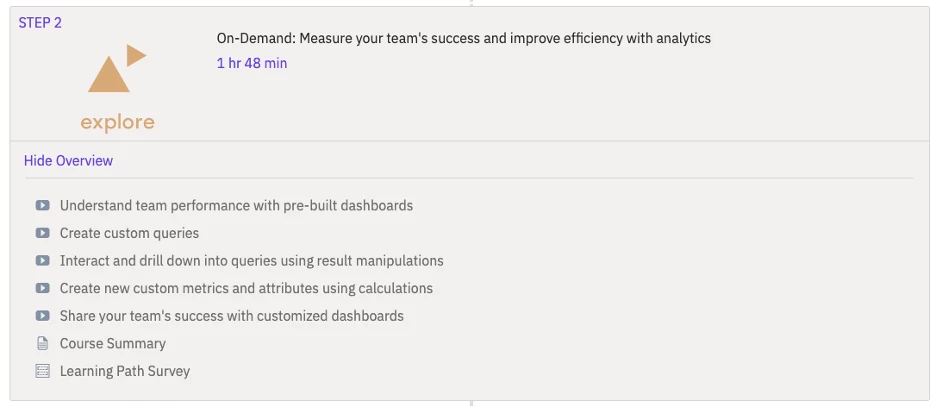
To help shorten the learning curve in setting up and running your CRM, Zendesk offers an extensive portfolio of on-demand training, accreditation, and certification programs. Through these courses, you can learn about onboarding, platform adoption, platform optimization, and more. Courses are organized by role for administrators, agents, developers, analysts, and sales teams.
Zendesk Customer Service
All Zendesk sales plans include online access to customer support during business hours. Zendesk offers three paid add-ons for enhanced support. The Premier service plan adds 24/7 support, a one-hour response time guarantee, proactive monitoring, and oversight from a designated support team.
You can also add a technical account manager to bring consistency to all your technology projects, including a roadmap for optimizing your CRM. For large enterprises, the professional services add-on offers platform configuration, solution design, and consulting services for data migration and custom applications. Zendesk does not provide pricing for its service add-ons.
Zendesk Drawbacks
Zendesk ‘s limited customer service availability and contact methods are not up to par with the offerings of its competitors, most of which offer 24/7 customer support with their mid-tier and higher plans. Even Zendesk’s most expensive plan, Sell Enterprise, requires a paid add-on for 24/7 phone support, which is a standard feature with most other top-tier CRM plans. Without transparent pricing for these service add-ons, it is difficult to accurately compare Zendesk to other platforms in this area.
In addition, reports and analytics for the basic Team plan are very limited, with only pre-built sales reports. Team users also have to wait 24 hours for data to be updated and cannot share their dashboards with other users. The platform also lacks key reporting tools, such as goal tracking and scheduled report delivery.
FAQs
How do Zendesk Sell’s Smart Lists and Templates streamline lead management?
Zendesk Sell introduces an innovative approach to lead management through its Smart Lists and Templates. Smart Lists dynamically organize leads based on diverse criteria, offering an automated and efficient lead classification system. In parallel, Templates expedite outreach with predefined email structures, ensuring consistent and effective communication, thereby augmenting lead nurturing.
How does the integration between Zendesk Sell and Zendesk Suite offer a competitive edge?
The symbiotic relationship between Zendesk Sell and Zendesk Suite stands as a testament to the platform’s commitment to holistic customer engagement. By merging customer service interactions with sales endeavors, businesses gain a panoramic understanding of customer pain points and feedback, thus empowering agents to tailor their sales strategies with precision and empathy.
Can you provide insights into the pricing structures of Zendesk Sell and its integration with Zendesk Suite?
Zendesk Sell’s pricing tiers encompass a spectrum of options ranging from Team to Enterprise, catering to businesses of varied sizes and requirements. Complementing this, Zendesk Suite offers supplementary tiers—Team, Growth, and Professional—providing additional customer service dimensions. For enterprises with unique needs, a tailored solution can be obtained through personalized quotes.
What is the typical timeline for setting up Zendesk Sell, and how can businesses navigate the process?
The implementation duration of Zendesk Sell varies based on the scale of the organization. Small businesses can anticipate a comprehensive setup within roughly two weeks, encompassing initial configuration and familiarization. Larger enterprises aiming for expedited setup can leverage the Professional Services add-ons, comprising data migration and customization. To streamline the learning curve, Zendesk’s on-demand training and certification programs offer a wealth of resources.
What are the key limitations that users should be aware of when considering Zendesk Sell?
While Zendesk Sell excels in many aspects, it’s essential to acknowledge certain limitations. These include the relatively restricted availability of customer support, especially compared to competitors offering 24/7 support in higher-tier plans. Additionally, the basic Team plan may present limitations in terms of reporting capabilities, potentially hindering advanced data analysis and insights. It’s also worth noting that obtaining 24/7 phone support incurs an additional cost, unlike some CRM providers that offer this as an inclusive feature.

Mike DaVinci HighTechBlogging.com
Mike DaVinci is a skilled content writer with a talent for storytelling. He specializes in creating captivating narratives that engage readers and leave them feeling inspired. His writing has been featured in various publications, including magazines, blogs, and business websites. Mike’s particular interest in human interest stories allows him to uncover the heart of any story and convey it to his readers in an emotional and authentic way. He believes that storytelling is a powerful tool for connecting with people and inspiring positive change in the world.
To read more similar articles, click here
Thanks for visiting our Website. If you appreciate our work, kindly show us some support in our comments section. 🙂