Free WordPress Plugins: Unlock the Secrets to Enhancing Your Site’s Functionality (September 2026)

You’ve probably heard the old saying “there’s no such thing as a free lunch”. But, as much as I love Heinlein, in the world of WordPress there actually is!
Without searching too hard, you can find heaps of amazing free WordPress plugins that add all sorts of useful features to your WordPress website. Such plugins can help you create better content, market your website more effectively, and make sure it loads fast and runs smoothly…. All without you having to spend a dime.
To help you find some great free WordPress plugins for your website, we’ve compiled what we think are the 30 best free WordPress plugins based on both personal experience and data from WordPress.org.
We’ll divide these plugins into four broad categories. Plugins that are good for:
Whether you’re a casual user or someone who likes to play around with custom fields and post types, you should find some great free options in this list.
Let’s get started…
Table of Contents
Best Free WordPress Plugins for Creating Content of All Types
Whether you want to create a contact form, make prettier pages or add eCommerce features to your WordPress site, these plugins can help.
1. FLUENT FORMS

Every website needs a contact page, and when it comes to contact forms (or any other type of forms), Fluent Forms is one of the best free options you can find.
Honestly, you’re spoiled for choice when it comes to quality free form plugins, and I could have easily replaced Fluent Forms with other options like Ninja Forms, WPForms, Forminator, and others.
Besides its reliability and user-friendly drag-and-drop interface, the main reason I preferred Fluent Forms over the other options is its more generous list of free features.
For example, Fluent Forms offers conditional logic and in-dashboard submission management in the free version, while many other form plugins charge for this kind of functionality.
But honestly, while I give Fluent Forms a slight edge as a free solution, you’ll do just fine with any of the plugins listed above.
2. ELEMENTOR

Elementor is a front-end drag-and-drop page builder. This means that you can use it to design complicated-looking pages without having to know a single line of code.
Basically, it makes web design accessible to everyone.
To create your designs, you use a visual interface. You can drag and drop layouts and content elements. And to customize the look, you get detailed options to control styles, spacing, and much more.
Read our Elementor review for more information. You can also check out some Elementor sample websites to see what it can do.
3. WOOCOMMERCE

If you want to create an eCommerce store with WordPress, WooCommerce is the way to do it. If you want to create an eCommerce store at all, WooCommerce is the way to go. According to BuiltWith, this free plugin is used to power more than 23% of all eCommerce stores, and it’s even more popular than Shopify.
While the WooCommerce plugin provides you with all the basic features you need to create a store, another outstanding detail of WooCommerce is that you can also find thousands of free WooCommerce extensions to add new features.
4. TABLEPRESS

TablePress has one of the most impressive ratings I’ve ever seen for a WordPress plugin:
It has a perfect 5-star rating on more than 4,463 votes at WordPress.org.
And, as someone who has used this plugin quite a bit, I can say that it deserves every one of those 5-star ratings.
If you need to display any kind of table on your WordPress website, TablePress can do it.
It gives you a simple, Excel-like interface right in your WordPress dashboard. You can import data from Excel or Google Sheets, use any type of media in your table, and extend it with a huge selection of free add-ons.
5. MODULA
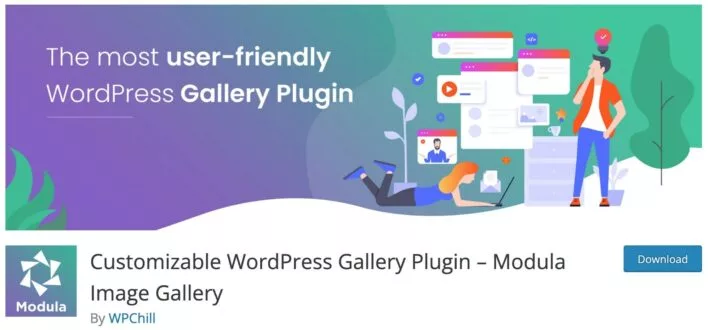
If you have a large number of images that you want to display at once, you need a gallery. WordPress includes basic gallery functionality, but it’s not very flexible and the final product looks pretty basic.
Modula changes that by giving you a user-friendly interface for creating great-looking galleries. It can automatically create a stylish grid gallery based on your images. If you want more control, you can also create a custom drag-and-drop layout that lets you determine the size and placement of each image.
You can learn more about this in our comparison between Modula and Envira Gallery.
Envira Gallery used to occupy this spot on our list of the best free WordPress plugins. While Envira Gallery is still a great plugin, we think Modula is now ahead of the pack for most people.
6. SMART SLIDER 3

Like galleries, slider plugins offer another helpful way to display media content on your website. And when it comes to free slider plugins, Smart Slider 3 is one of the best you can find.
Smart Slider 3 offers you a beginner-friendly live slider editor as well as some nice templates to get you started. Even in the free version, you will feel like you are using a premium plugin.
7. GENERATEBLOCKS

GenerateBlocks adds some really helpful new blocks to the native WordPress editor, giving you more control over your designs.
While the selection of blocks is smaller than other block plugins like Kadence Blocks and Spectra, the blocks it does offer are all essential elements that you’ll use over and over again in your content.
Overall, GenerateBlocks Offers The Following New Blocks:
Each block offers many options for customization and the attention to detail in the block settings is excellent.
Although GenerateBlocks comes from the same developer as the GeneratePress theme, it will work with any WordPress theme you use.
Best Free WordPress Plugins for Marketing and SEO
Whether you’re looking to rank your website in the SERPs or build an email list, these free plugins will help you advance your marketing efforts.
8. RANK MATH

If you want your WordPress website to rank high in the search engines, you need an SEO plugin.
Yoast SEO is still the most popular WordPress SEO plugin (and a great free option to consider), but I think the Rank Math SEO plugin has now overtaken Yoast SEO as the best free option.
I base this mainly on the fact that Rank Math offers more free features than Yoast SEO. So if you want to have most of the SEO tools without paying any money, Rank Math is the best choice.
For example, the free version of Rank Math supports optimization for multiple focus keywords and offers internal link suggestions, both features that Yoast SEO charges money for.
If you don’t want to use these additional free features and are just looking for a simple SEO tool to set SEO titles and meta descriptions, I still recommend Yoast SEO over Rank Math (or even The SEO Framework, which offers a great lightweight approach).
9. REDIRECTION

While running your website, you’ll probably want to change the URL of a post or page at some point. It happens to all of us.
When that happens, you need a way to redirect traffic from the old post to the new post.
That’s exactly what Redirection does.
It provides you with a graphical interface that lets you easily manage all of your site’s 301 redirects – which is much more user-friendly than searching through your .htaccess file every time you want to add a new redirect.
You can also get creative with your redirects – for example, a conditional redirect that depends on whether someone is logged in or not – and all of this is available for free from a responsive developer who works at Automattic.
10. PRETTY LINKS

If you do affiliate marketing on your WordPress website, you know how ugly affiliate links can be.
With Pretty Links you can change that by cloaking affiliate links with your own domain.
If you want, you can even track how many clicks each link gets.
11. BROKEN LINK CHECKER

As your website ages, it will inevitably have broken links. By broken links I mean either internal links or external links that no longer go where they should.
Broken Link Checker can help you find these links automatically by checking all internal and external links. Then, you can easily update all broken links to provide a great experience for your visitors.
This plugin has recently been given a new lease of life thanks to its acquisition by an established developer, WPMU DEV, which means it will still be useful in 2023 and beyond.
*Although Broken Link Checker is a really helpful plugin, I recommend you disable it when you’re not using it to avoid performance issues.
12. SHARED COUNTS

There are a lot of great social media sharing plugins out there, so it’s hard to pick just one. But if I had to recommend one free option, it would be Shared Counts. It’s not the most feature-rich sharing plugin, but it covers all the popular networks and has one big advantage – performance. It’s the lightest weight free plugin for social sharing that I’ve found.
Also, while it’s not quite as popular as other plugins, it comes from two established and respected WordPress developers – Bill Erickson and Jared Atchison.
If you need access to more social networks, you can consider a universal sharing plugin like AddToAny – the biggest drawback is that it won’t be as lightweight from a performance perspective.
13. MAILPOET

Building an email list for your website gives you an everlasting advantage and a way to stay in touch with your fans.
While you can find many great third-party email marketing services that you can integrate with your website, the free MailPoet plugin offers a native solution that lets you manage everything right from your WordPress dashboard.
You can build your lists with custom opt-in forms/popups and send them emails using MailPoet’s visual drag-and-drop email editor.
MailPoet also includes many other helpful features like an integrated email delivery service that ensures high deliverability, email segmentation options, special WooCommerce features, and more.
With MailPoet’s free plan, you can send up to 5,000 emails per month to up to 1,000 subscribers. If you grow beyond those limits, MailPoet’s paid plans start at just $10 per month.
14. SITE KIT

After using the above plugins to improve search engine optimization and social media on your website, you’ll want a way to analyze the success of all your marketing efforts.
Site Kit is an official plugin from Google that lets you integrate Google services into your website. First and foremost, this includes Google Analytics.
With the plugin, you can add the Google Analytics tracking code to your website and view the analytics data directly in your WordPress dashboard. You can view data for the entire site as well as data for specific content.
In addition to Google Analytics, Site Kit also lets you view data from Google Search Console, which lets you track your search performance from your WordPress dashboard.
Although I personally find these two integrations to be the most useful, Site Kit also offers several other features:
Best Free WordPress Plugins for Performance, Security, and Maintenance
Backend site management isn’t exactly sexy, but the free plugins in this section are perhaps the most important in this list. They will help you speed up your site, keep it secure, and generally keep everything running.
15. REALLY SIMPLE SSL

Switching your WordPress site to HTTPS/SSL is a great way to make it more secure for both you and your visitors, and it will also help you avoid the nasty “Not Secure” warnings Google has added to Chrome for ALL non-HTTPS sites.
Since free SSL certificates are available, it won’t even cost you a penny – you just need a way to securely switch your WordPress site to HTTPS.
And that’s exactly what Really Simple SSL does. It’s basically a one-click solution to set up redirects, update your old URLs, and do everything else you need to do to securely switch your site to HTTPS.
Personally, I still recommend setting up HTTPS manually if you feel comfortable doing so. But I know a lot of people don’t feel comfortable doing that. And if you’re one of those people, Really Simple SSL is a great option.
16. WORDFENCE SECURITY

Wordfence is the most popular WordPress security plugin, active on more than four million websites. It can implement most major WordPress security hardening in an all-in-one package, including:
While there is a premium version, the free version is still a good option for most websites, which is why it is so popular and well rated.
The main difference between the free and paid versions is that the free version requires you to wait 30 days to update the malware and firewall threat rules, while the paid version gives you real-time updates.
17. UPDRAFTPLUS

It’s absolutely essential that you back up your WordPress website so that if something ever goes wrong, you have a working copy just in case.
There are some great premium backup services out there, like Jetpack Backup (formerly VaultPress), but when it comes to free backup plugins, nothing beats UpdraftPlus.
It allows you to manually or automatically back up your website with a single click, and you can even have UpdraftPlus automatically save your backup to cloud services like Dropbox, Google Drive, or Amazon S3.
If you ever need to restore your website, UpdraftPlus makes that very easy as well.
Unless you’re using a managed WordPress hosting provider that already offers daily external backups, I highly recommend using UpdraftPlus to regularly back up your website to an external storage provider (like Google Drive).
18. ALL-IN-ONE WP MIGRATION

There are many reasons why you may need to move your WordPress website at some point. You may want to:
No matter what your reason is, the free All-In-One WP Migration plugin can help you. This handy plugin exports your entire WordPress website as a single file. To move your website, all you need to do is create a new WordPress installation and upload that file to the new location.
As part of importing your site, All-In-One WP Migration can also perform a database search and replace to change the site to a new domain name.
The free version of All-In-One WP Migration has only one drawback: it only supports websites up to 512 MB in size. If you need to move larger websites, Migrate Guru is another great free option to consider.
19. ASSET CLEANUP

Asset CleanUp provides a comprehensive solution to clean up your website’s code, which can help you speed up your website and improve your website’s scores in performance analysis tools like PageSpeed Insights.
To start with, Asset CleanUp provides some site-wide optimizations for HTML, CSS and JavaScript of your website:
In addition, Asset CleanUp also includes a script manager tool that lets you enable or disable specific scripts on your website, as well as a variety of other code optimizations, such as moving JavaScript, removing WordPress emojis, and more.
When it comes to free tools to optimize your website’s code, this is one of the best.
20. SMUSH IMAGE COMPRESSION AND OPTIMIZATION

Smush is another free plugin that can improve your website’s performance – this time by automatically compressing and resizing the images you upload to your WordPress website.
Smush uses lossless compression, which means your images won’t lose quality – they’ll just have a smaller file size!
Smush recently added support for lossy compression, which was previously only available in the paid version.
Smush lets you optimize an unlimited number of images for free (with a maximum file size of 5 MB per image), and it’s super easy to use.
21. LIMIT LOGIN ATTEMPTS RELOADED

One of the best ways to protect your login page from brute force attacks, besides using a strong username and password combination, is to limit the number of attempts a user can make.
Typically, if you enter the wrong information when logging in for your online banking, you will be locked out after three incorrect attempts.
With Limit Login Attempts Reloaded, you can add the same feature to your WordPress website – and you can even set the exact criteria for how many attempts a user can make and how long they can be locked out.
To avoid accidentally locking yourself out, the plugin also lets you add your IP address to a security list.
22. WP 2FA

The free WP 2FA plugin lets you secure your login page even more by adding two-factor authentication via the proven protocols TOTP and HOTP, which lets you use authentication apps like Google Authenticator, Authy and other apps that support these protocols.
It also supports email verification and allows users to download one-time backup codes in case they lose their two-factor devices one day.
The application is free for an unlimited number of users and is also very easy to implement.
If you want to be absolutely safe from brute force attacks, this is a great option.
23. ENABLE MEDIA REPLACE

Enable Media Replace is a really good way to solve a problem:
It lets you replace any file in your WordPress library by uploading a new file in its place. You no longer have to go through the tedious process of deleting a file and then making sure you upload one with the exact same name.
All in all, a simple plugin…. but one that is really handy for managing your website and updating old images.
24. AKISMET ANTI-SPAM

Due to its popularity, an unfortunate side effect of WordPress is that its websites attract a lot of comment spam.
Akismet Anti-Spam helps you eliminate this by automatically checking all incoming comments for spam. Many form plugins also integrate with Akismet, so Akismet can prevent contact spam as well.
The Akismet plugin is developed by Automattic, so you can rely on its quality and longevity.
Note: Akismet is technically free for non-commercial use only. If your site is commercial in nature, you will technically need to purchase a paid plan, although this is largely handled on the honor system.
25. COOKIE NOTICE & COMPLIANCE FOR GDPR / CCPA

Cookie Notice & Compliance for GDPR / CCPA helps with “security” of a different kind – “security” of compliance with important laws and regulations. In particular, data protection regulations such as the European GDPR and the California CCPA.
With this free plugin, you can add a cookie notice and functionality to control cookie usage on your website based on user preferences.
The cookie hint functionality is 100% free. If you want some of the more advanced cookie compliance features, you may have to pay for them.
26. YOAST DUPLICATE POST
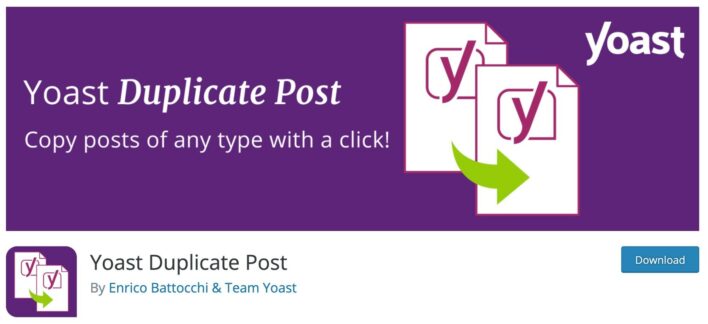
Yoast Duplicate Post is a very handy plugin for working with existing content on your website. It does what the name says – it lets you duplicate any post, page or custom post type with a single click.
It also includes a handy merge feature that’s great for updating content. You can clone a post, update the content in the cloned version, and then automatically overwrite the live version when you’re ready to go live.
Overall, the plugin is quite narrow in its scope, but this feature is really handy in many different situations.
27. TRANSLATEPRESS

If you want to make your website content available in multiple languages, TranslatePress makes it easy. It’s proven that multilingualism has significant benefits for increasing your multilingual website traffic and conversions.
You can use TranslatePress’ visual translation interface to translate any content on a page directly from the front-end. To speed things up, you can set up the built-in automatic translation feature (using machine translation services like Google Translate or DeepL).
Because of its translation approach, the plugin works out of the box with any theme or plugin, including page builders like Elementor or e-commerce plugins like WooCommerce.
Best Free WordPress Plugins For Advanced Users Who Like Tinkering
If adding code snippets and custom post types is your idea of a fun Saturday night (or if you’re just an advanced user), these plugins will make your life easier without costing a penny.
28. ADVANCED CUSTOM FIELDS

Advanced Custom Fields makes your WordPress website much more flexible. As the name suggests, this is achieved by allowing you to easily add a variety of custom fields to your WordPress website.
You can use these custom fields for…. well, pretty much anything! For this reason, this plugin is very popular with developers.
If you’ve ever felt limited by the basic WordPress editor, Advanced Custom Fields lets you create a more customized editor with fields that make your life easier and improve your productivity.
Plus, Advanced Custom Fields recently added support for custom post types and custom taxonomies, so you can use it for all your custom content needs.
You’ll need to be a bit tech savvy to benefit from the plugin, but you definitely don’t need to be a developer to use it. I’m not, and I love it anyway!
If you’re interested in this kind of functionality, there are two other free plugins that also do a great job: Pods and Meta Box.
29. CODE SNIPPETS
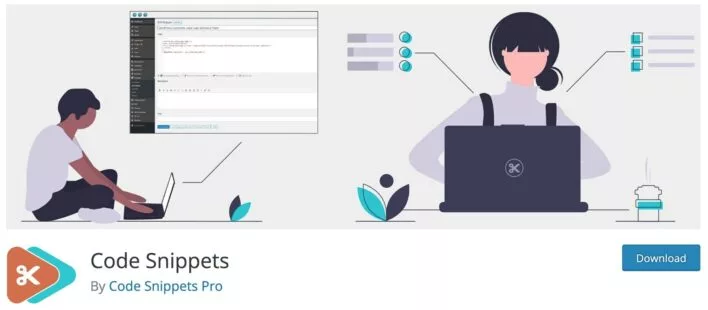
If you enjoy tinkering with your WordPress website, you probably already have an intimate relationship with your theme’s functions.php file.
Code Snippets simplifies the use of functions.php code fragments in two ways:
Code Snippets recently added support for custom HTML snippets. And if you’re willing to pay for it, you can use it to add custom JavaScript and CSS as well.
30. HEAD, FOOTER AND POST INJECTIONS

Head, Footer and Post Injections works on a similar principle to Code Snippets – except that instead of helping you insert code into your functions.php file, it helps you integrate Code Snippets into your website:
Given the name, that makes sense, doesn’t it?
This functionality offers a lot of advantages. You can:
With the plugin, you can even conditionally insert code depending on whether a visitor is using a desktop or mobile device.
Which Are Your Favorite Free WordPress Plugins?
And there you have it! Based on personal experience as well as the many reviews on WordPress.org, these are 30 of the most helpful and best free WordPress plugins.
Conclusion
This article presents a valuable collection of the best free WordPress plugins across various categories. Whether you’re focused on creating content, optimizing marketing and SEO, improving performance and security, or exploring advanced customization options, these plugins offer a wide range of functionalities to enhance your WordPress site.
By utilizing these powerful tools, you can elevate your website’s performance, security, and user experience while enjoying the flexibility and ease of use that WordPress provides. Take advantage of these free plugins and unlock the potential to transform your website into a robust and functional online platform.
FAQs
What are WordPress plugins?
WordPress plugins are pieces of software that can be installed on your WordPress website to extend its functionality and add new features. They are designed to enhance the overall user experience and provide additional capabilities to your site.
Are all WordPress plugins free?
No, not all WordPress plugins are free. While there are many free plugins available in the WordPress plugin directory, some plugins may have a premium version or offer additional features through paid add-ons. However, there is a wide range of excellent free plugins that can greatly enhance your site without any cost.
How do I install a WordPress plugin?
To install a free WordPress plugin, log in to your WordPress dashboard, navigate to the “Plugins” section, and click on “Add New.” Then, search for the desired plugin using keywords or the plugin name. Once you find the plugin you want to install, click on the “Install Now” button, and WordPress will take care of the rest.
Can I trust free WordPress plugins?
Yes, you can trust many free WordPress plugins available in the official WordPress plugin directory. The WordPress community actively reviews and monitors plugins to ensure their quality and security. However, it’s always recommended to check the plugin’s ratings, reviews, and update frequency before installing it.
How can free WordPress plugins enhance my website’s functionality?
Free WordPress plugins can enhance your website’s functionality in numerous ways. They can help you add contact forms, create sliders, optimize your site for search engines, improve site speed, implement social media sharing buttons, add security measures, integrate e-commerce functionality, and much more. The wide variety of plugins available ensures that you can find a solution for almost any desired feature or functionality.
Are there any limitations to using free WordPress plugins?
While free WordPress plugins offer significant functionality, they may have certain limitations compared to their premium counterparts. For example, free plugins may not offer as many advanced features or dedicated support. Additionally, some free plugins may display ads or have limited customization options. However, for many users, free plugins provide more than enough functionality to meet their needs.
To read more similar articles, click here.
Thanks for visiting our Website. If you appreciate our work, kindly show us some support in our comments section. 🙂

Norman Dwemer is a tech blogger who focuses on the future of technology. his blog delves into emerging technologies such as artificial intelligence, blockchain, and quantum computing, as well as their potential impact on our lives and society. Rachel’s writings provide a sneak peek into the future of tech, examining the possibilities and risks of these cutting-edge technologies. he also shares the most recent developments and research in these fields, delivering the latest news and insights to his readers. Norman’s visionary outlook on the world of tech has establihed his as an authoritative figure for anyone interested in the forefront of technology.