Most Helpful WordPress Plugins: Transform Your Website’s Design with Ease (September 2026)

There are tens of thousands of plugins for WordPress users. So many that it’s hard to know which ones really make a difference and which are overrated. Many provide useful niche solutions, but only a few are truly essential WordPress plugins for all websites.
No matter what kind of website you run or what niche it belongs to, there are certain plugins you should definitely install. And these are the tools we’re going to discuss today.
In this article, we’ll introduce you to ten most Helpful WordPress plugins and explain what makes each of them stand out. Even better, we’ll also provide real data to justify why we think each plugin is essential.
Let’s get started right away!
Table of Contents
10 Most Helpful WordPress Plugins
1. Yoast SEO

Yoast SEO is by far the most popular SEO tool in the WordPress landscape, and it’s easy to see why it’s one of our must-have WordPress plugins. Not only can it help you improve your SEO, but it can also help you analyze the readability of your content. About 79% of users only skim your posts and pages. So, the more readable your texts are, the more chance you have to keep their attention.
As for search engine optimization (SEO), there are many ways to increase traffic to your website. However, none offers as much potential as search engines. Every day, Google alone handles nine billion search queries.
It’s no exaggeration to say that organic traffic can make or break a website’s success, and in most cases, you can’t buy your way to the top. Just to clarify: Only 1.7% of paid leads in search engine traffic convert. That’s why working on your keyword strategy is crucial for any website.
The basic version of Yoast SEO is 100% free, and there is a premium version with additional features.
2. UpdraftPlus

An estimated 13,000 websites are hacked every day. Considering that 43% of websites on the Internet are based on WordPress, it’s clear why it’s a frequent target. Moreover, parts of your WordPress website may stop working due to simple errors.
For example, if most users use 10 or less plugins on their websites and half of those plugins are updated monthly, it’s clear that the risk of compatibility errors is very high. A single up-to-date backup can save you a lot of headaches, whether you’ve been attacked, have a compatibility issue, or simply want to migrate your website.
This is where our next must-have WordPress plugin comes in. There are many WordPress backup plugins on the internet, but few are as powerful and easy to use as UpdraftPlus. It integrates with multiple cloud storage options to back up your backups. And you can even automate your backups with a recurring schedule.
There is both a free and a premium version of UpdraftPlus.
3. Optimole

Images make up more than 50% of the average web page size. This means that optimizing your images can make a big difference in your website load times.
Why is this so important? If your website takes more than three seconds to load, your bounce rate can be as high as 38%.
As if that wasn’t worrying enough, 79% of online shoppers won’t return to your website if they find its performance to be inadequate. While images aren’t the only factor that affects website performance, optimizing your WordPress images is a key component to improving your page load times.
Optimole takes every graphic you upload to WordPress and optimizes it to take up less space. In addition, it uses a cloud-based system to speed up your website. Optimole automatically detects the screen size and resizes the images to provide your users with a fast-loading, responsive experience.
This plugin is free for up to 5,000 visits per month. After that, you can opt for the Business version for $39.08/month per year.
4. Revive Old Post

Social media is the source of more than 30% of visitor traffic to most websites. How do visitors get to your website? social mediaOther31.2%68.8%
| How people come to your website? | % of people who come to your website |
|---|---|
| Social media | 0.312 |
| Other | 0.688 |
This means that you’re missing out on a huge amount of potential traffic if you don’t stay active on social media. Just to give you an idea: About 2 billion and 300 million users log on to Facebook and Twitter, respectively, every day. If every post on these networks increases your chances of reaching even a fraction of these users, it means that the plugin we’re about to introduce is definitely worth your time.
Another WordPress plugin that can’t be missing from our list is Revive Old Post. It is designed to drive more traffic to your website via social media. To achieve this, the plugin takes your website’s new and old posts and automatically shares them on Twitter and Facebook.
Both free and premium versions are available.
5. WP Rocket

WP Rocket is a powerful caching plugin that will help you speed up your loading times. It does this by creating cached copies of every dynamically generated page on your website, so your servers have less work to do.
We’ve already talked about why fast page load times are important, and caching solutions can be an even more effective solution than image optimization. The W3 Total Cache plugin, for example, can cut your load times by over 43% on average.
WP Rocket does even better – in our caching plugin tests, it reduced page load times by a whopping 63%. It’s not free, but the results are more than worth it, especially when it comes to conversions.
WP Rocket is a premium tool that starts at $59 for an annual license for a single website.
6. Elementor

With over 5,000,000 active installs, Elementor is one of the coolest additions to our must-have WordPress plugin list. It’s a visual page builder that gives you the ability to create original designs for your pages that are independent of your current theme.
This means that you don’t need to be a web development expert to add all those cool effects like background overlays, hover effects, animations and more, you can just drag and drop it all. It is fully compatible with Gutenberg editor and other WordPress plugins on this list.
Elementor (read review) is useful for those who want to create a beautiful landing page for their business. It is also a good choice for those who want to have a custom design for parts of their website, but don’t have deep pockets to hire a developer for this task.
The Elementor plugin is available for free in the WordPress directory. If you need more features, unlocking the premium version has its price:
- Essential – $59.00 per year for one site
- Expert – $199 per year for 25 sites
- Agency – $399 per year for 1,000 sites
7. WPForms

WPForms is an amazing WordPress plugin for creating beautiful forms (contact forms and others). This plugin offers a perfect mix of useful features and usability. It is very user-friendly and mobile responsive.
The ability to create eye-catching contact forms without having to work with JavaScript or other code is one of the main reasons why over 5 million websites are already using this plugin.
WPForms provides you with a customizable, modern contact form that not only improves interaction, but also generates better conversions, gets more survey results and much more.
WPForms Lite is available for free and is good for websites that want to use it on their contact page. WPForms Pro will unlock more features and integrations. You have access to a lot of form templates for $49.50 per year.
8. Otter

Otter is a lightweight WordPress plugin for adding useful additional features to Gutenberg. It is a library that contains Gutenberg templates and additional blocks.
While Gutenberg is a nice replacement for the classic WordPress editor, there is still a long way to go before Gutenberg offers premium class features. However, you can install Otter for additional Gutenberg blocks and then create intuitive pages with it.
Otter is a free WordPress plugin.
9. Redirection

Since we are talking about must-have WordPress plugins, Redirection is a must-have. It is a redirection manager for WordPress. With Redirection, you can set up custom 301 redirects on your website and keep a full record of clicks data. You can even use it to track broken URLs on your website.
We all know how much Google (and other search engines) hate bad user experiences. A 404 or erroneous page contributes to that. But you can’t manually check every single post or page on your site, especially if you have hundreds of posts. When you install the Redirection plugin, you’ll be presented with a list of 404 pages, and all you have to do is enter the URL you want the plugin to redirect the visitor to.
The redirection is available free of charge.
10. MonsterInsights
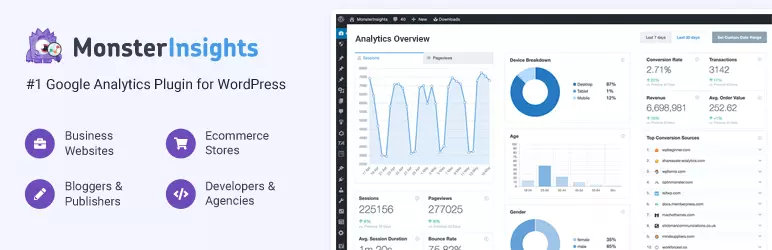
If you want to grow your business, you need to know your audience. Based on user behavior on your website, you can adjust your marketing strategy to improve engagement and conversions.
To do that, you need the MonsterInsights plugin. It integrates your WordPress website with Google Analytics so that you can get all the relevant data about your visitors. The number of users of this plugin says a lot about the importance of understanding how your visitors consume your content.
MonsterInsights is easy to set up. It simply connects your Google Analytics account to your WordPress website in a few simple steps. After that, you can check the stats directly from your WordPress dashboard.
The plugin is free of charge. If you want to unlock more features, these are the available plans:
- Plus – $99.50 per year
- Pro – $199.50 per year
- Agency – $399.50 per year
Enjoy These Most Helpful WordPress Plugins
Regardless of the type of website you run, there are certain plugins that are always worth installing.
As Far As Must-have Plugins Go, These Ten Are Our Top Picks Based On Data:
Conclusion
The collection of WordPress plugins mentioned above offers a wide range of features and functionalities that can greatly enhance your website’s design and overall performance. From optimizing your content for search engines with Yoast SEO, to ensuring regular backups with UpdraftPlus, and optimizing image delivery with Optimole, these plugins are truly indispensable for any WordPress website owner.
Additionally, plugins like Revive Old Post and WP Rocket help to boost social media presence and optimize website speed, respectively. The intuitive drag-and-drop page builder, Elementor, and the versatile form builder, WPForms, allow you to create visually stunning designs and interactive user experiences effortlessly. Otter and Redirection provide additional customization options and efficient link management, while MonsterInsights helps you gain valuable insights into your website’s performance and audience behaviour.
Whether you’re a beginner or an experienced user, incorporating these must-have WordPress plugins into your website will undoubtedly transform its design and provide you with greater ease and convenience in managing your online presence. Enjoy exploring the power and capabilities of these plugins and watch your website thrive.
FAQs
What are WordPress plugins?
WordPress plugins are additional pieces of software that can be installed on a WordPress website to enhance its functionality and add new features. They allow you to extend the capabilities of your website without having to write custom code.
How do plugins help in transforming a website’s design?
Plugins can play a crucial role in transforming a website’s design by providing various tools and features. They offer options to customize the appearance of your website, add stylish themes, create beautiful layouts, optimize images, implement sliders and carousels, integrate social media buttons, and much more. These plugins make it easier for website owners to enhance the visual appeal and overall design of their site without extensive coding knowledge.
Which are some of the most helpful WordPress plugins for transforming website design?
There are numerous helpful WordPress plugins available, but here are a few that can greatly assist in transforming a website’s design:
- Elementor: This drag-and-drop page builder plugin enables you to create stunning layouts and designs without any coding.
- Yoast SEO: It helps optimize your website for search engines, ensuring your design is search engine-friendly and drives organic traffic.
- WPForms: This plugin allows you to create customized contact forms, making it easy for visitors to get in touch with you.
- Smush: It optimizes and compresses images on your website, improving load times and enhancing the visual aspect of your design.
- WooCommerce: If you’re running an online store, this plugin provides a range of design options and tools for creating an attractive e-commerce website.
How can I install WordPress plugins on my website?
Installing plugins on your WordPress website is a straightforward process. Here’s how you can do it:
- Log in to your WordPress dashboard.
- Navigate to the “Plugins” tab on the left-hand side menu.
- Click on “Add New.”
- Search for the desired plugin using the search bar or upload a plugin from your computer.
- Once you find the plugin you want, click on “Install Now.”
- After the installation is complete, click on “Activate” to activate the plugin.
Are these plugins free or paid?
The availability of free or paid versions of plugins depends on the specific plugin. Many plugins offer both free and premium versions, with additional features and support in the premium versions. However, there are also numerous free plugins available that provide excellent functionality and design options.
Can I use multiple plugins together?
Yes, you can use multiple plugins on your WordPress website. In fact, using a combination of plugins is quite common and allows you to harness the benefits of different tools and features. However, it is essential to choose plugins that are well-coded, regularly updated, and compatible with each other to avoid any conflicts or performance issues.
To read more similar articles, click here.
Thanks for visiting our Website. If you appreciate our work, kindly show us some support in our comments section. 🙂

Norman Dwemer is a tech blogger who focuses on the future of technology. his blog delves into emerging technologies such as artificial intelligence, blockchain, and quantum computing, as well as their potential impact on our lives and society. Rachel’s writings provide a sneak peek into the future of tech, examining the possibilities and risks of these cutting-edge technologies. he also shares the most recent developments and research in these fields, delivering the latest news and insights to his readers. Norman’s visionary outlook on the world of tech has establihed his as an authoritative figure for anyone interested in the forefront of technology.